
Smart Forms: Standalone, With Payment, and Volunteer Registration
Embed dynamic forms with conditional logic, file uploads, multi-page sections, optional payment collection, and a volunteer portal -- all through a single public URL.

Most form builders create data islands. A visitor fills out a form, the submission goes to a spreadsheet, and someone manually copies the data elsewhere. Falaah Smart Forms are connected forms – dynamic fields, conditional logic, file uploads, optional payment, and confirmation messages – all accessible through a single public URL that feeds directly into your CRM and workflows.
Core Smart Form
Every published Smart Form gets a public URL:
https://muin.falaah.ai/go/{tenant-slug}/form/{form-template-slug}Share this URL directly in emails, social media, QR codes, or embed it on any website.
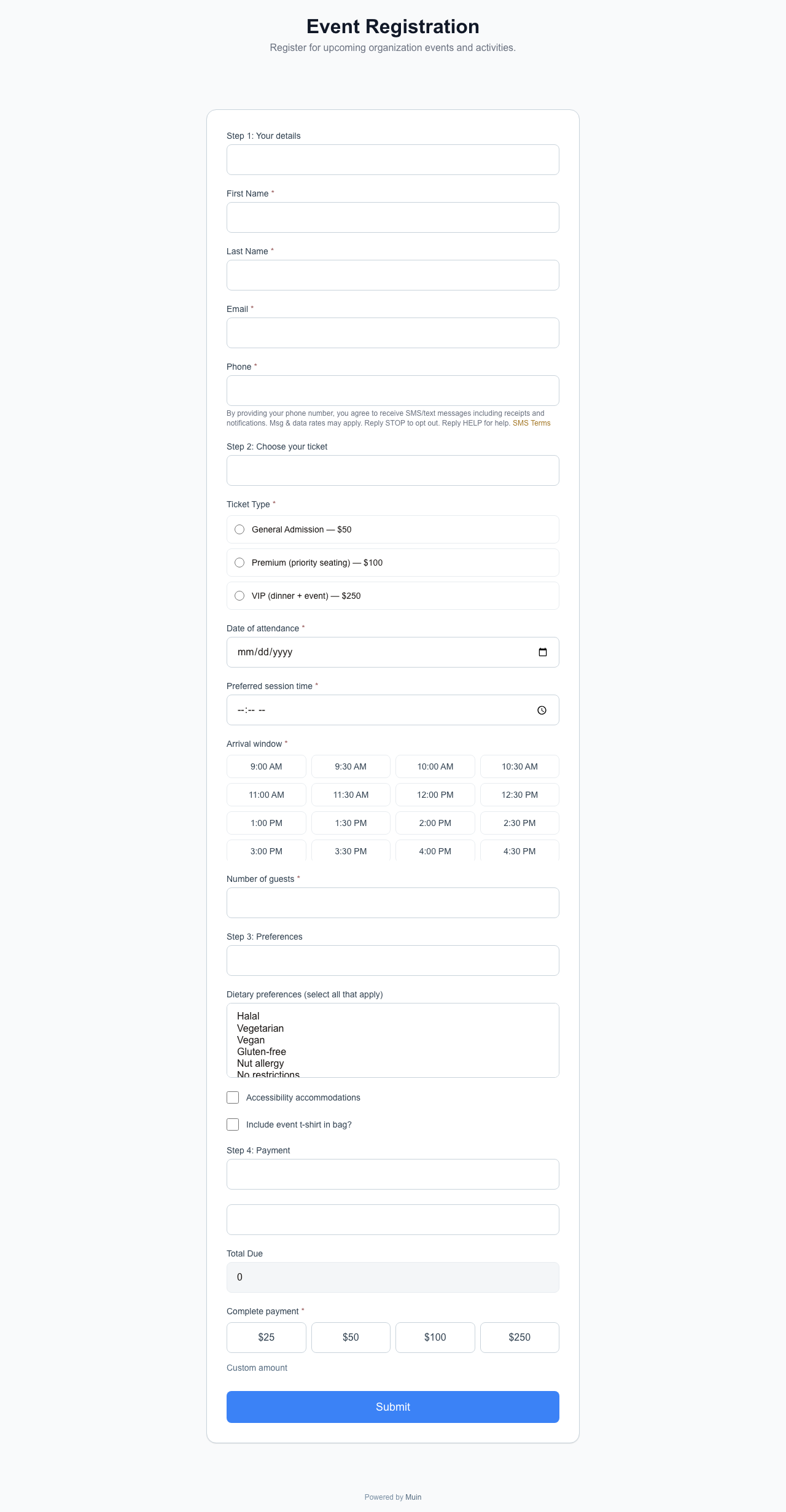
Dynamic fields. Smart Forms support over 40 field types across seven categories, giving you the building blocks for any data collection scenario:
| Category | Field Types |
|---|---|
| Text & Contact | Text, Email, Phone, URL, Textarea, Rich Text, Paragraph (display) |
| Numeric & Financial | Number, Currency, Slider, Rating, Payment Amount, Calculated, Budget Grid |
| Selection & Choice | Select, Multi-Select, Radio, Checkbox, Yes/No, Toggle |
| Date & Time | Date, Time, DateTime, Date Range, Time Slot |
| File & Media | File Upload, Image Display, Video Embed, Signature |
| Layout & Structure | Heading, Divider, Section Break, Repeater (repeating field groups) |
| Advanced | NPS, Likert Scale, Matrix Grid, Ranking (drag-to-reorder), Country/State, Hidden |
Each field can be marked required or optional.
Conditional logic. Fields appear or hide based on previous answers. If a visitor selects a particular option, relevant follow-up questions appear. This keeps the form concise for every path through it.
Multi-page sections. Longer forms split into pages with section breaks. Visitors progress through each section, making complex forms feel manageable.
File uploads. Drag-and-drop upload fields accept common file types for resumes, logos, photos, or supporting documents.
SMS consent. Forms can include an opt-in for SMS communications, capturing consent alongside contact information.
Confirmation. After submission, the visitor sees a confirmation message with optional next steps.
Embedding Options
Iframe embed:
<iframe
  src="https://muin.falaah.ai/go/falaah-foundation/form/event-registration"
  width="100%"
  height="800"
  frameborder="0"
  style="border: none; max-width: 700px;"
  title="Event Registration"
></iframe>
Widget embed:
<script
  src="https://muin.falaah.ai/embed/widget.js"
  data-tenant="falaah-foundation"
  data-type="form"
></script>
The widget supports display types: button, form, popup, floating, and banner. Additional attributes like data-campaign, data-size, data-style, and data-position customize appearance.
With Payment
When payment is enabled on a form, the visitor fills out fields and pays in the same submission. No redirects. No separate payment links.
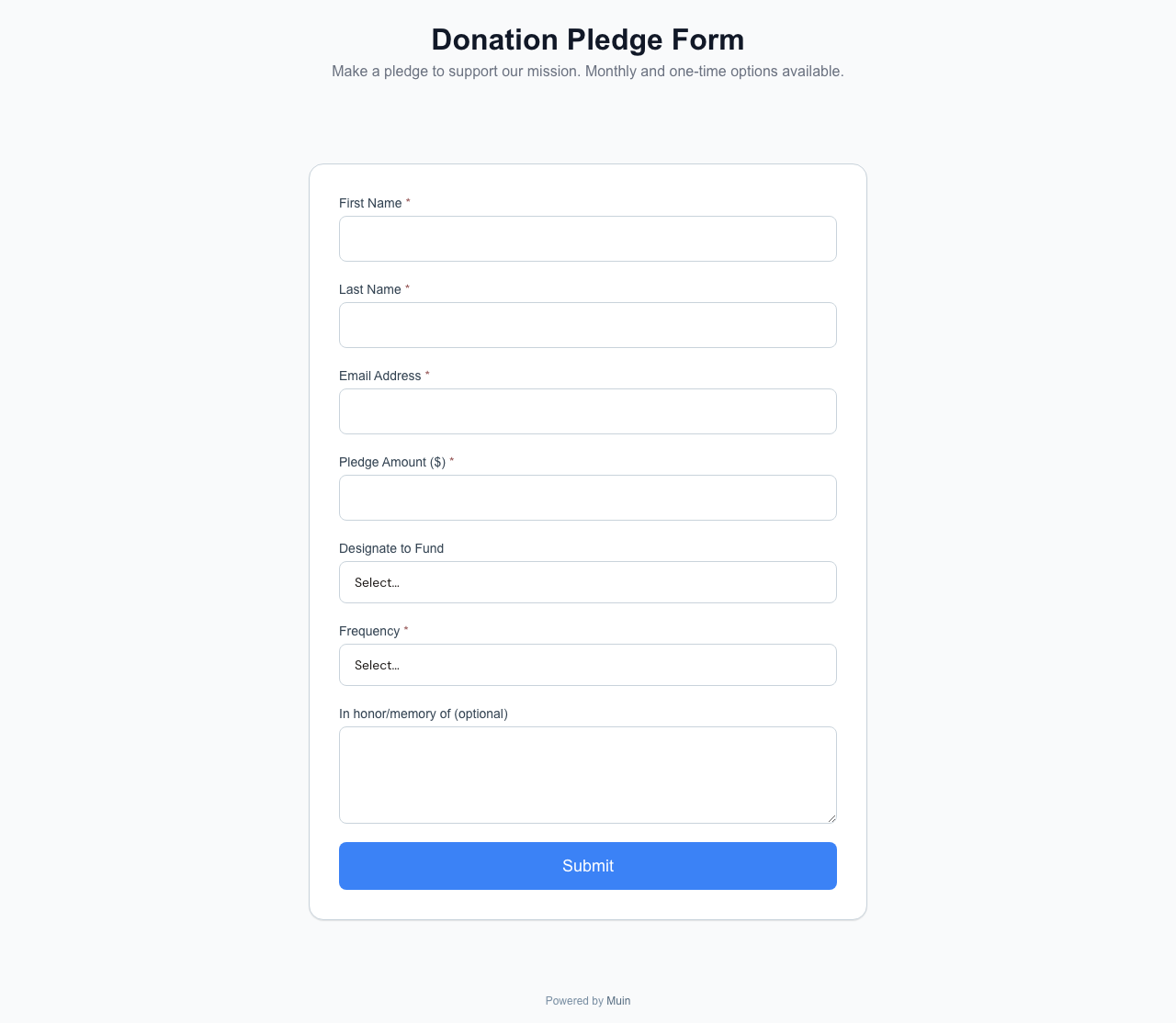
The form uses the same public URL pattern:
https://muin.falaah.ai/go/falaah-foundation/form/donation-pledgeAfter the custom fields, a payment section appears with a summary of what is being paid, the amount, and Stripe-powered payment input. A single submission processes both the form data and the payment. Confirmation with receipt details follows immediately.
What makes this different from a plain form. The payment step is configured at the form level in the Falaah dashboard – not a separate embed or redirect. When payment is enabled, the payment fields render as part of the form itself. When payment is not enabled, the same form behaves as a standard Smart Form. Payment is an optional capability, not a separate product.
When to use it. Registration fees with participant details, pledge forms with donor information, application fees with supporting documentation, or service deposits with project briefs. The single-submission flow eliminates the gap between “fill out the form” and “now go pay.”
Volunteer Registration
The volunteer portal presents upcoming events as visual cards with dates, locations, capacity indicators, and one-click registration.
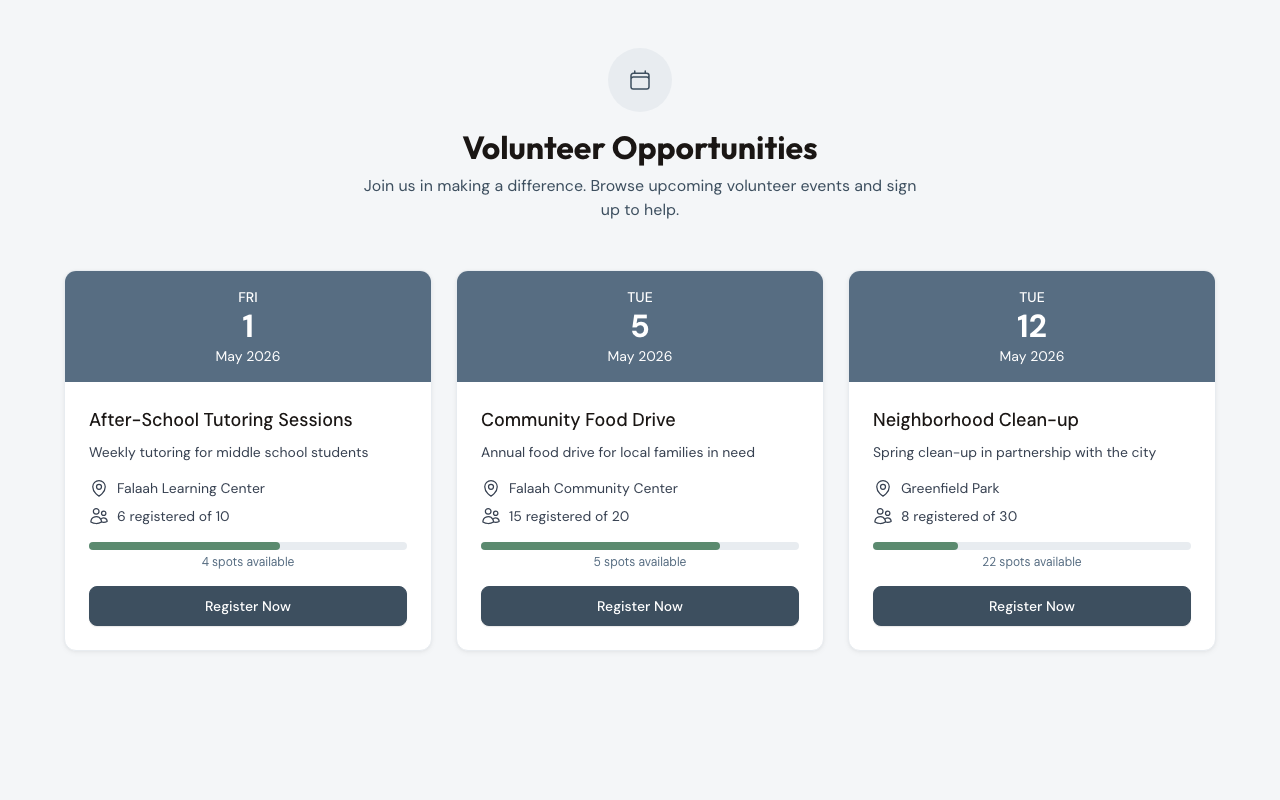
What the volunteer sees. Each event card displays the event name, description, date, location, and a capacity progress bar (e.g., “6/10 registered” at 60%). A “Register Now” button on each card takes the volunteer to a Smart Form for that event.
The public URL:
https://muin.falaah.ai/go/{tenant-slug}/volunteerShare this URL in newsletters, social media, or on your website. Embed via iframe:
<iframe
  src="https://muin.falaah.ai/go/falaah-foundation/volunteer"
  width="100%"
  height="800"
  frameborder="0"
  style="border: none; max-width: 900px;"
  title="Volunteer Opportunities"
></iframe>
When to use it. When you have multiple upcoming events and want volunteers to self-select based on dates, locations, and availability. The capacity indicators help volunteers find events that need more people and create urgency when a popular event is almost full.
Membership Enrollment
The same form engine powers membership signup at /go/{tenant-slug}/membership. Members select a tier, fill in their information, and pay dues (one-time or recurring via Stripe) in a single submission — and the membership record activates immediately, so a new member can log into the self-service portal before they close the tab. See the Membership Enrollment embed guide for the full setup.
Real Form Examples
The Falaah Foundation includes five published Smart Forms that demonstrate the range of field types and form structures available:
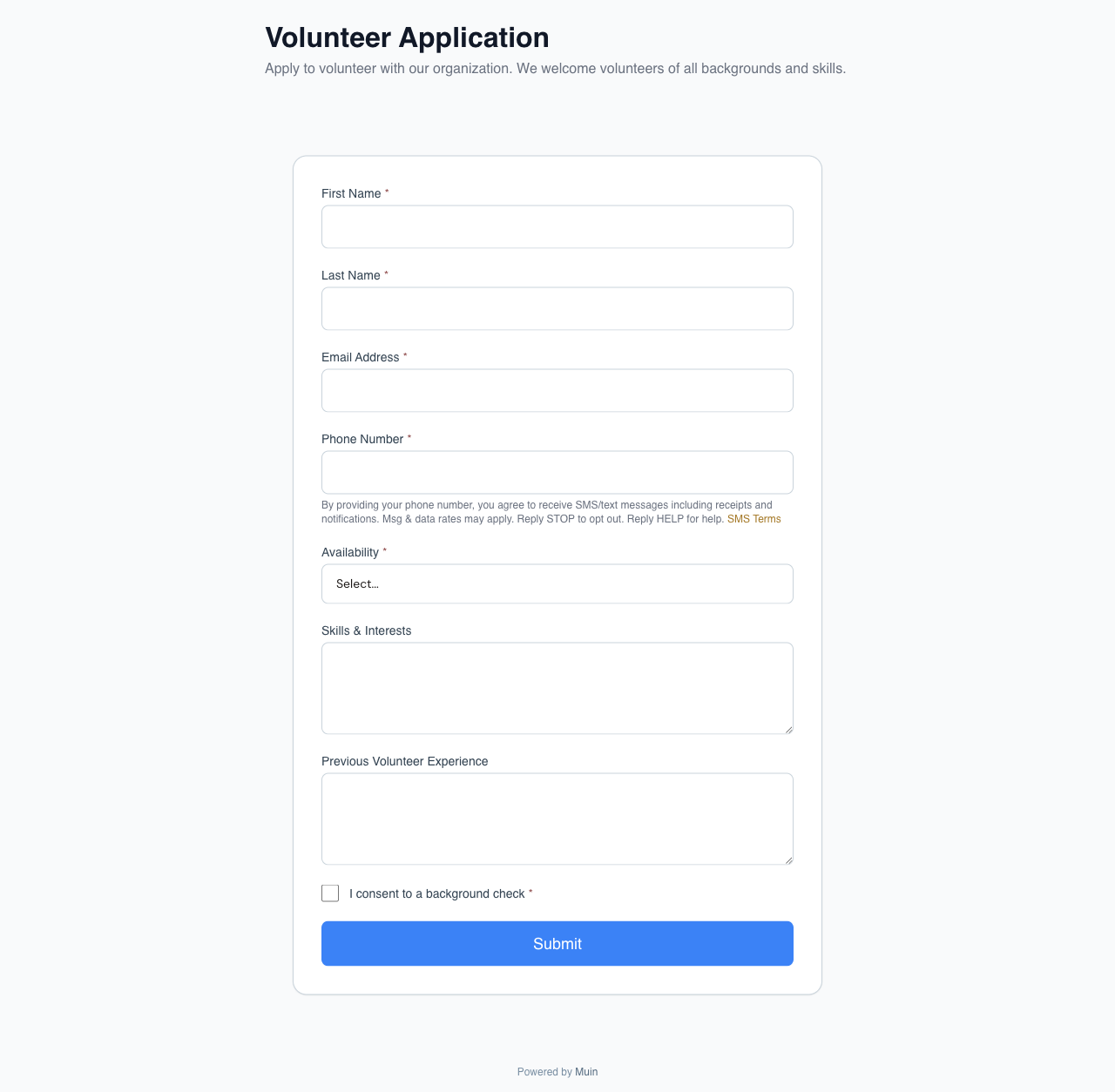
Volunteer Application (26 fields)
Interactive fields spanning text, email, phone, date, address, multi-select, radio, select, slider, rating, file upload, checkbox, yes/no, toggle, signature, headings, and dividers. This form exercises the widest range of field types in a single submission.
https://muin.falaah.ai/go/falaah/form/volunteer-applicationEvent Registration (21 fields)
Attendee details with accessible field types: text, email, phone, number, radio, select, multi-select, time slot picker, checkbox, yes/no, toggle, headings, paragraph text, textarea, and dividers.
https://muin.falaah.ai/go/falaah/form/event-registrationPost-Event Feedback Survey (14 fields)
Advanced survey fields: NPS score, Likert scale, matrix grid, ranking with drag-to-reorder, image display, rich text, rating, and file upload. Built for structured feedback collection.

https://muin.falaah.ai/go/falaah/form/post-event-feedbackGrant Application Intake (27 fields)
Multi-page application with budget grid, calculated fields, currency inputs, date range, country/state selectors, repeater groups, URL, video embed, section breaks, file uploads, and signature. The most complex form structure available.
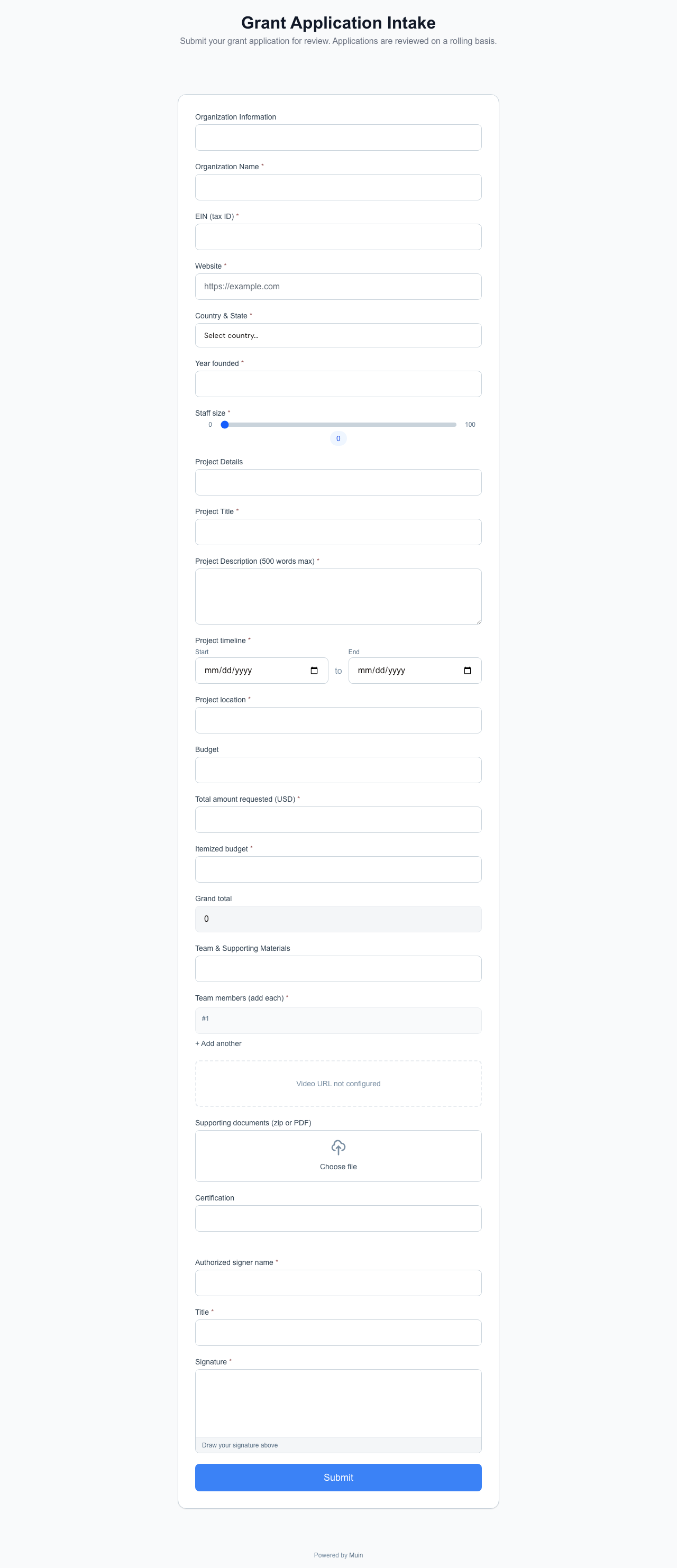
https://muin.falaah.ai/go/falaah/form/grant-application-intakeFacility Rental Request (21 fields)
Operational form with time, datetime, hidden fields, payment amount, date, radio, select, checkbox, yes/no, and number inputs. Demonstrates the payment-integrated form pattern for facility bookings.

https://muin.falaah.ai/go/falaah/form/facility-rentalAll five forms use the same /go/{tenant-slug}/form/{template} URL pattern and the same embedding options, configured differently for each purpose.
Related Reading
- Smart Forms: Replace Google Forms with Something That Understands Your Business – The pillar overview: AI generation, smart contact resolution, and workflow integration
- Smart Forms by Use Case: From Nonprofit Intake to Foundation Grantmaking – Ready-to-use templates across intake, volunteering, and grantmaking
- Smart Forms docs – Field types, publishing, and embedding in the Muin documentation