
Event Registration and Tickets: Free, Paid, and Real-Time Progress
Set up free event registration, sell paid tickets with multi-tier pricing, and show real-time ticket progress with an embeddable thermometer -- all from a single public event page.

Running an event means managing who is coming, how they pay, and how full the room is getting. Falaah handles all three from a single public event page – free registration with capacity tracking, paid tickets with Stripe checkout, and a real-time thermometer that shows progress toward capacity.
The Public Event Page
Every event gets a public URL:
https://muin.falaah.ai/go/{your-org-slug}/event/{event-id}This page displays the event name, date, time, location, description, and available ticket types. Visitors register or purchase directly on this page. No login required. Share the link anywhere: email, social media, printed flyers, text messages.
Free Registration
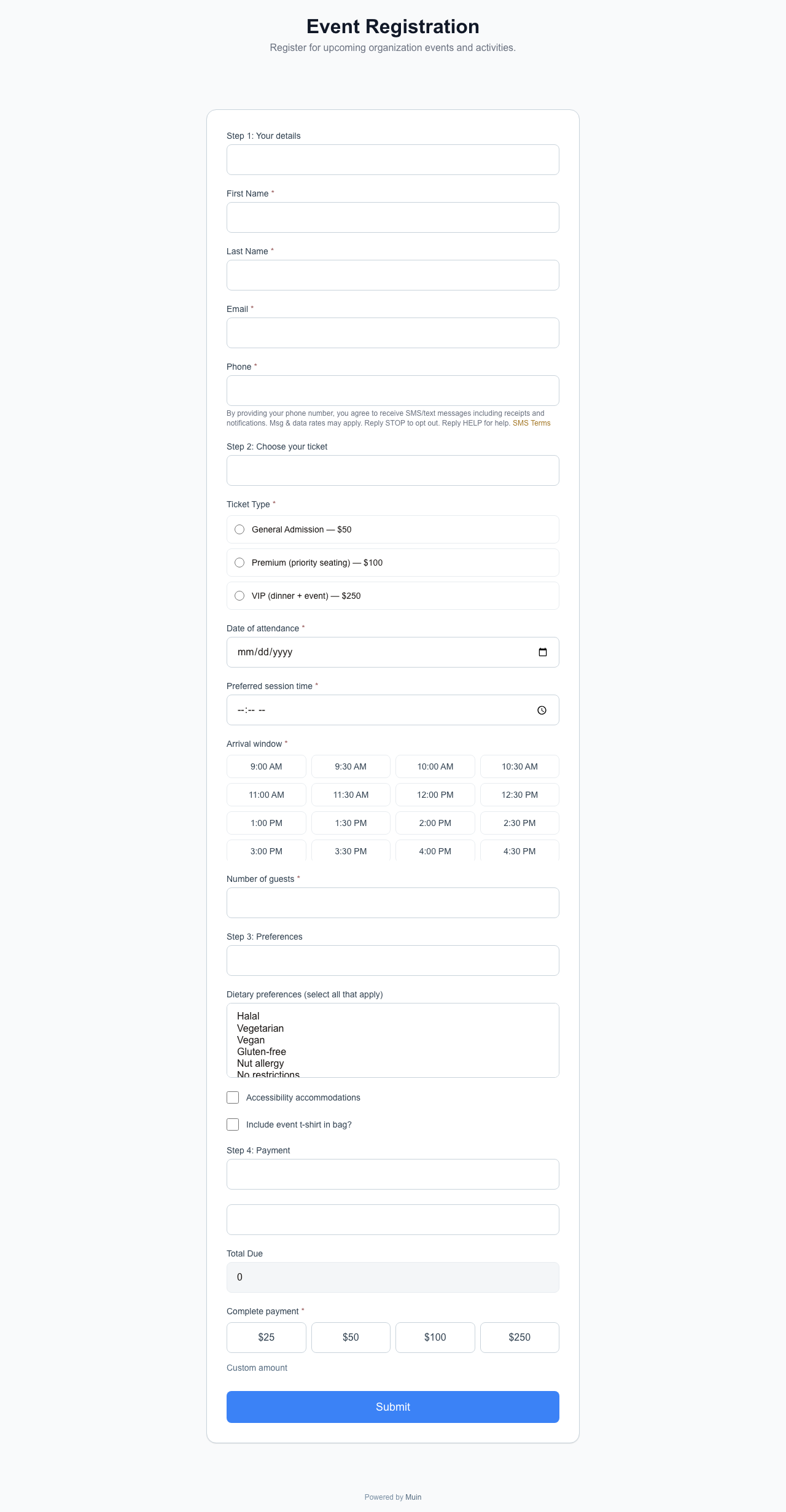
For events that do not charge admission, the public page handles registration with capacity tracking, waitlists, and confirmations.
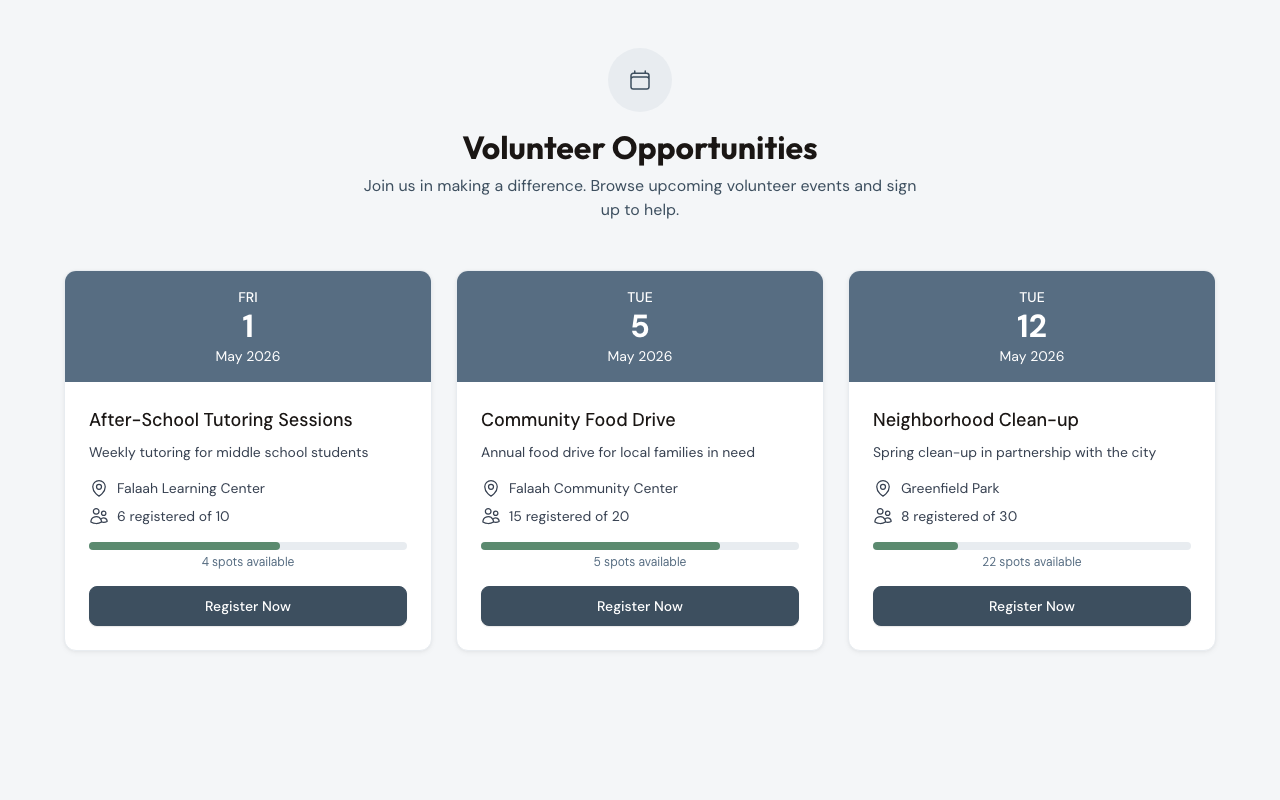
Ticket types and capacity. Each event supports multiple ticket types. A free community event might offer General Admission (capacity 200), Volunteer Slots (capacity 30), and VIP Seating (capacity 20). Each type tracks its own remaining_capacity and sold_count in real time.
Multi-quantity registration. Attendees register for up to 20 spots in a single transaction. A family of four submits once instead of filling out four separate forms.
Waitlists. When a ticket type reaches capacity, visitors can join the waitlist. Falaah creates an EventWaitlist entry tied to their contact information. If a spot opens through cancellation or capacity increase, waitlisted registrants can be moved to confirmed status.
Confirmations. Every registration creates an EventRegistration record with a unique confirmation_number and a checked_in field for day-of attendance tracking.
Timed sales. Ticket types support sales_start and sales_end dates. Open volunteer registration two weeks before general admission, or close registration 24 hours before the event. Tickets outside their sales window do not appear on the public page.
Paid Tickets
If any ticket type has a price_cents value greater than zero, the registration flow routes through Stripe for payment. Free and paid tiers coexist on the same event – the system handles the branching per tier automatically.
Each ticket type is defined with:
- name – the tier label (General Admission, VIP, Student, Early Bird)
- price_cents – per-ticket cost in cents (5000 = $50.00)
- capacity – maximum tickets available at this tier
- description – what the tier includes
- sales_start / sales_end – availability window
- is_active – toggle visibility without deleting
- sort_order – display sequence on the public page
Multi-quantity purchases. Groups select a ticket type and quantity (1-20). A group of four purchasing General Admission completes one transaction with a calculated total displayed before payment.
Stripe checkout. After selection, the flow routes through Stripe for card payment. After successful payment, each ticket purchased receives a unique confirmation_number.
Timed sales windows. Create an “Early Bird” tier at $40 with a sales window ending two weeks before the event, and a “Standard” tier at $60 that opens when early bird closes. Only the currently active tier appears to buyers.
Event Thermometer
The event thermometer is a lightweight iframe embed that shows tickets sold versus total capacity as a progress bar, updated in real time via server-sent events (SSE).
What it shows. A progress bar representing tickets sold against the event’s total capacity. The data is read-only – the thermometer does not process registrations. It pairs with a link to the event’s public page where visitors register.
Real-time updates. When someone registers, the progress bar updates without a page refresh. During high-traffic periods – an email blast or social media push – the thermometer reflects the rush live, reinforcing urgency.
The embed code:
<iframe
  src="https://muin-api.falaah.ai/embed/event-thermometer/{event-uuid}"
  width="100%"
  height="80"
  frameborder="0"
  style="border: none; max-width: 600px;"
  title="Event ticket availability"
></iframe>
Locale support. Add a locale query parameter for multilingual labels: en, es, ar, fr.
https://muin-api.falaah.ai/embed/event-thermometer/{event-uuid}?locale=esPlacement. The thermometer works on event marketing pages, partner websites, email landing pages, and blog sidebars. It is a standard iframe compatible with WordPress, Squarespace, Wix, custom sites, and Notion embed blocks.
Feature Comparison
| Feature | Free Registration | Paid Tickets | Thermometer |
|---|---|---|---|
| Public event page | Yes | Yes | Read-only embed |
| Ticket types with capacity | Yes | Yes | Displays aggregate |
| Multi-quantity (1-20) | Yes | Yes | – |
| Stripe payment | – | Yes | – |
| Waitlists | Yes | Yes | – |
| Timed sales windows | Yes | Yes | – |
| Confirmation numbers | Yes | Yes | – |
| Real-time SSE updates | – | – | Yes |
| Locale support (en/es/ar/fr) | – | – | Yes |
| Iframe embeddable | – | – | Yes |
How Events Connect to Everything Else
Event registrations create contact records. If an attendee is already in your CRM – because they donated last month, or filled out a volunteer form – the event registration links to their existing record. No duplicate contacts.
Post-event workflows fire automatically, and revenue from ticket sales appears in the same financial reports as donation revenue, form payment revenue, and subscription revenue.
On event day, check attendees in with a tablet-optimized kiosk check-in – search by name, scan the QR code from the confirmation email, or register walk-ins on the spot.
For a broader view of how events fit into the full embedding matrix, see 26 Ways to Accept Payments, Donations, and Registrations with Muin. For configuration details, see the Events & Public RSVPs docs.
Seed Data Examples
Two volunteer events in the development environment demonstrate the system:
- After-School Tutoring (April 18) – 6 of 10 registered. The thermometer shows 60%, signaling limited remaining spots.
- Neighborhood Clean-up (April 29) – 8 of 30 registered. The thermometer shows 27% with early momentum and plenty of room.
Both events are accessible at https://muin.falaah.ai/go/{slug}/event/{id} and show registration counts against totals on the public page.