
11 Ways to Accept Donations: From Giving Pages to Kiosk Mode
A complete guide to Muin's 11 nonprofit giving combinations -- standalone pages, embedded forms, thermometers, peer-to-peer, tribute gifts, kiosk mode, donor portals, and grant applications.

A nonprofit’s relationship with money is different from a business’s. Donors give because they believe in something, and every friction point between that belief and the completed transaction is a gift that never happens. The organization that makes giving effortless — in the lobby, on a phone, in an email, at a gala — raises more.
Muin offers 11 distinct giving combinations. Each one addresses a different moment, a different context, and a different donor expectation. Here is what they are and how to deploy them.
1. Standalone Giving Page
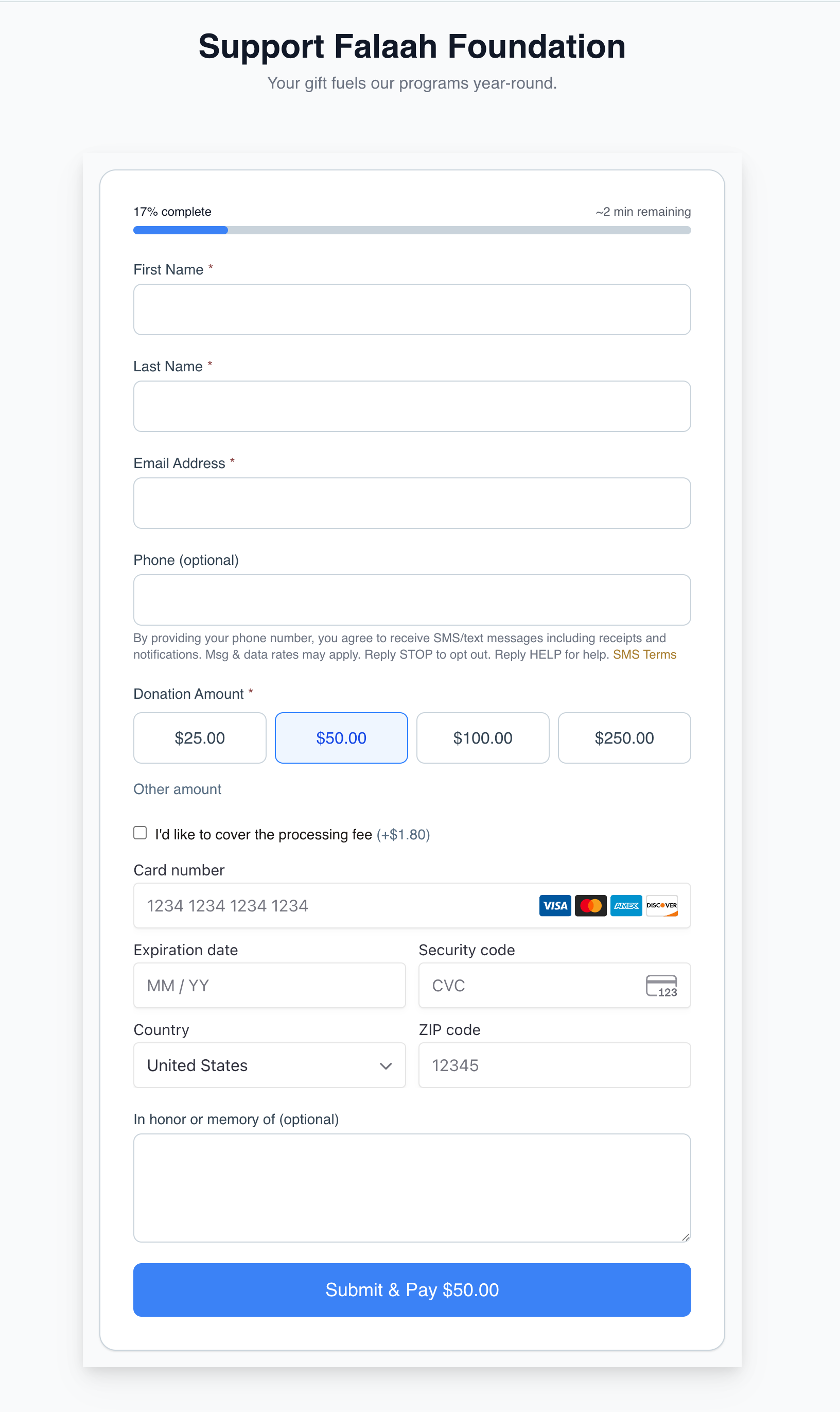
A full-page, branded donation experience at a public URL like /go/{slug}/donate/{page}. Suggested amounts, recurring options, fund designation, and Stripe-powered checkout. This is the default “Donate” link on your website header, the URL in your email signature, and the page you share on social media.
2. Giving Page with Smart Form
The same giving page, with a Smart Form attached to collect structured data alongside the gift — program interests, volunteer availability, communication preferences. The donor fills out a brief questionnaire at the moment of highest engagement instead of a follow-up survey they will never complete.
3. Giving Page with Thermometer
A giving page paired with a real-time campaign thermometer that shows progress toward a goal. The thermometer updates live via server-sent events as gifts come in. Donors see “$47,000 of $100,000 raised” and the donate form is right there.
4. Thermometer Iframe (3 Designs)
Embeddable thermometer iframes that display campaign progress on any website. Three designs are available via iframe embed URLs:
/embed/thermometer/{uuid}— compact progress bar/embed/campaign/{uuid}— full campaign card with description and progress/embed/event-thermometer/{uuid}— event-specific registration progress
All update in real time via SSE. Drop them into any CMS, blog post, or email landing page.
5. Full Campaign Embed
A complete campaign experience — hero image, story, thermometer, and giving form — embedded on your website. The donor never leaves your domain. Uses the widget embed:
<script src="https://muin-api.falaah.ai/embed/widget.js" data-tenant="your-org" data-type="form"></script>
6. Iframe on Website
The giving page rendered inside an iframe on your existing website. Simpler than the widget embed — paste an iframe tag and the full giving page appears within your layout. Useful when your CMS does not support script tags.
7. Peer-to-Peer Fundraising
Supporters create their own individual fundraising pages linked to your campaign. Each page has its own goal, its own thermometer, and its own shareable URL. Gifts made through a supporter’s page are credited to both the supporter and the campaign.
8. Tribute and Memorial Giving
A giving flow that lets donors give in honor or in memory of someone. The gift can optionally send a notification to the honoree or their family. Available on any giving page by enabling the tribute option.
9. Kiosk Donation Mode
A simplified, touch-optimized interface at /go/{slug}/kiosk/donate designed for unattended use on tablets. Large buttons, pre-set amounts, minimal text entry. The screen resets between donors.

10. Donor Portal
A secure self-service portal at /go/{slug}/donor where donors log in to view giving history, download annual tax receipts, update payment methods for recurring gifts, and manage communication preferences.
11. Grant Application Portal
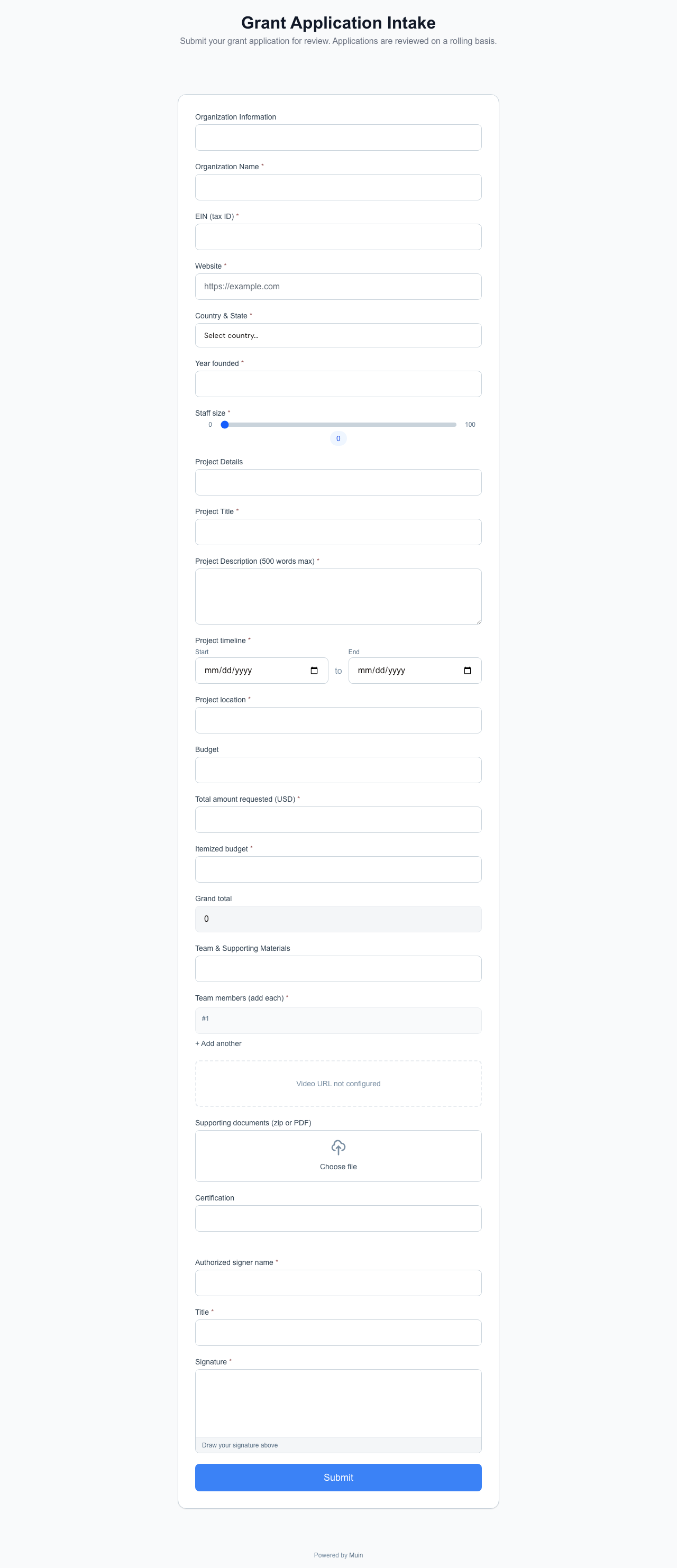
A multi-step application form at /go/{slug}/grants/apply that collects structured data from grant applicants and routes submissions to review committees. Applicants can save progress and return later.
How They All Connect
Every gift made through any of these 11 combinations flows into the same donor record. A person who gives through the kiosk on Friday, the peer-to-peer page on Saturday, and the recurring widget the following Monday has one record with three gifts. Their tax receipt at year-end covers all of it.
Campaign totals aggregate across all channels. The thermometer on your website counts the kiosk gifts, the peer-to-peer gifts, and the direct online gifts in real time.
For the complete matrix of all 26 embedding combinations across giving, events, forms, widgets, and payments, see 26 Ways to Accept Payments, Donations, and Registrations with Muin.