
Event Registration and Ticket Sales: 4 Embeddable Combinations
How to set up free event registration, paid ticket sales, event thermometers, and kiosk check-in with Muin's embeddable event infrastructure.

Running an event means managing a sequence of moments: the announcement, the registration surge, the day-of check-in, and the post-event follow-up. Most organizations handle each moment with a different tool. Muin handles all four with embeddable components that share the same attendee data, the same event record, and the same reporting layer.
Here are the four event combinations.
1. Free Event Registration
A standalone registration page at /go/{slug}/event/{id} for events with no ticket cost — community meetups, volunteer orientations, board meetings, open houses, workshops. Attendees register with their name, email, and any custom fields you configure. Capacity tracking and confirmation emails with calendar invites are built in.
Embed it on your website with the widget:
<script src="https://muin-api.falaah.ai/embed/widget.js" data-tenant="your-org" data-type="form"></script>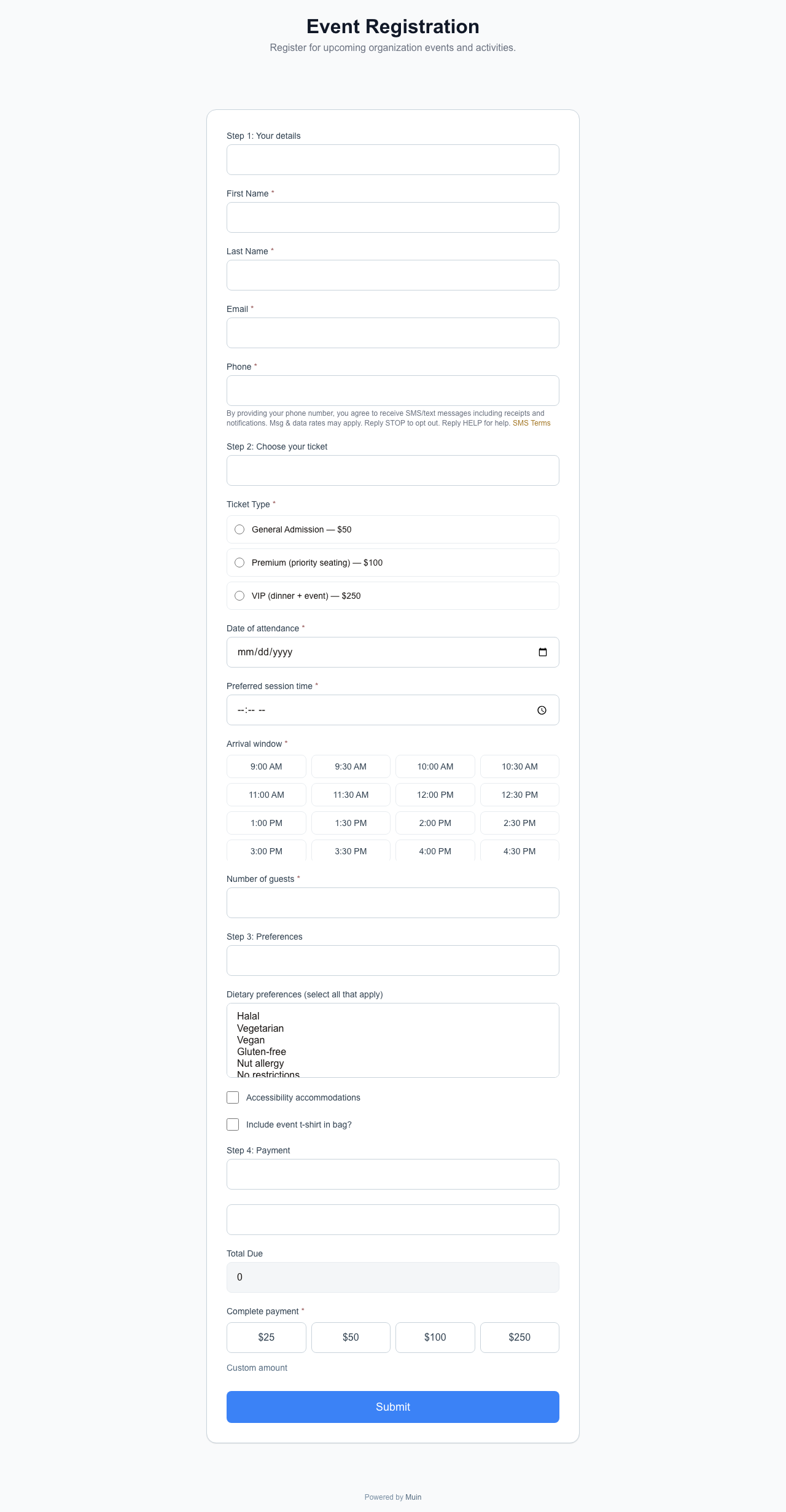
2. Paid Event with Ticket Sales
A full ticket sales page with multiple tiers, pricing, promo codes, and Stripe checkout. Attendees select tickets, provide attendee information, and complete payment. Confirmation emails include QR codes for check-in.
The page lives at /go/{slug}/event/{id} with ticket types configured in the admin. All ticket revenue appears in the same financial reports as donations and form payments.
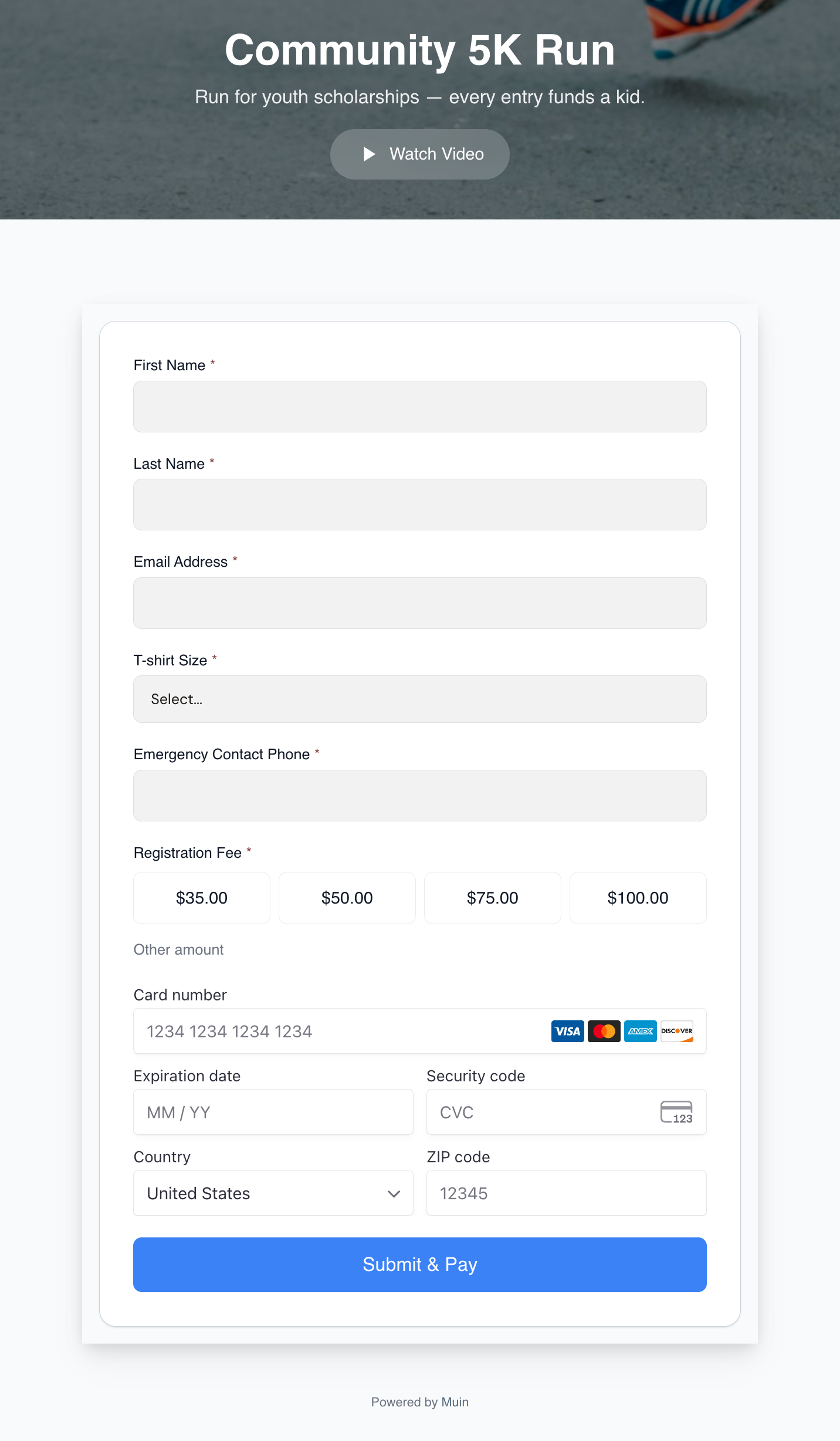
The registration form fields and the Stripe Card widget render on the same screen — no separate checkout step. Attendees fill identity, t-shirt size, and emergency contact, pick a registration tier, and pay with a card all in one continuous flow.
3. Event Thermometer
A real-time widget showing registration or ticket sales progress — “187 of 250 seats filled” — that creates urgency a static page cannot. Updates live via server-sent events. Embeddable as an iframe:
/embed/event-thermometer/{uuid}Drop it on your event marketing page, in blog posts, or on social media landing pages. The bar advances and the count updates without a page refresh as new registrations come in.
4. Kiosk Check-In
A tablet-optimized interface for checking in attendees at the event. Search by name, scan a QR code from the confirmation email, or browse the attendee list. Displays real-time stats: total registered, total checked in, and percentage arrived.
Walk-ins can register on the spot — for paid events, they pay via card on the device. For free events, the volunteer enters name and email and the system creates the registration immediately.
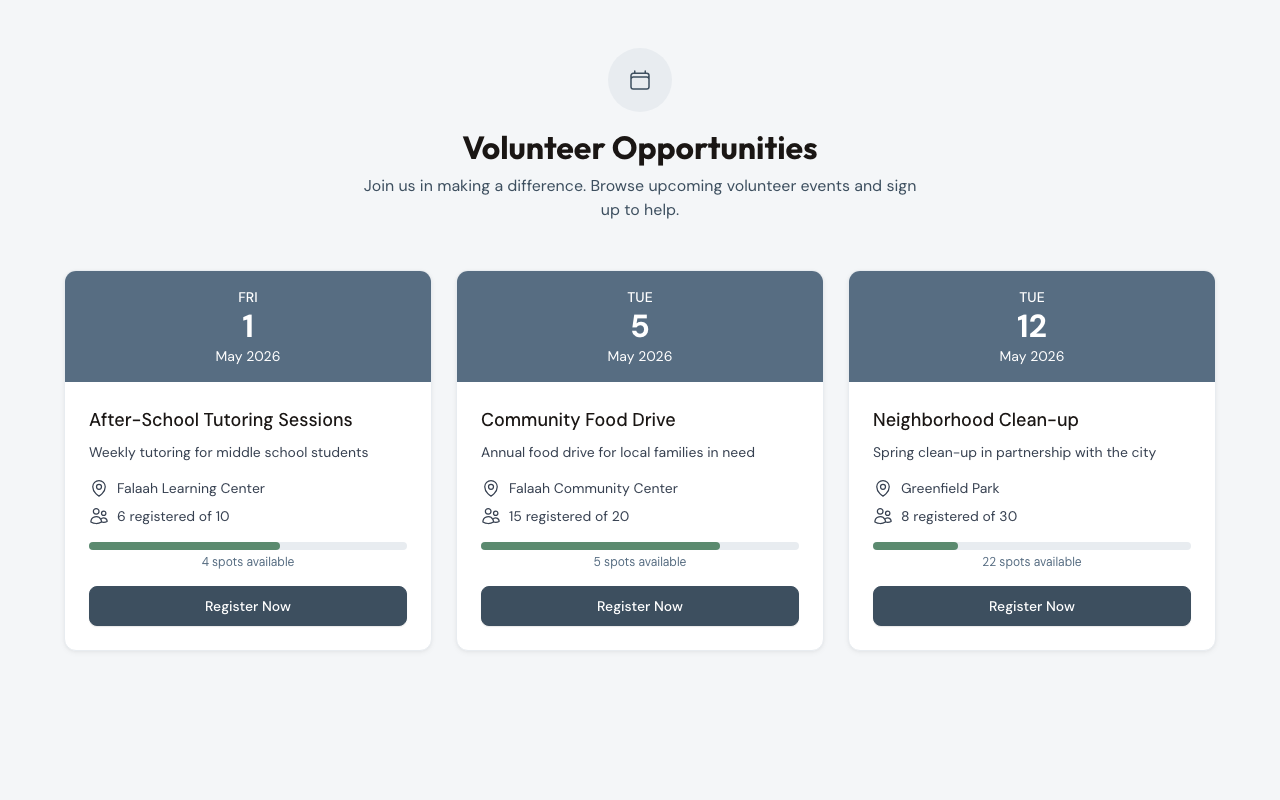
How Events Connect to Everything Else
Event registrations create contact records. If an attendee is already in your CRM — because they donated last month, or filled out a volunteer form — the event registration links to their existing record. No duplicate contacts.
Post-event workflows fire automatically. Revenue from ticket sales appears in the same financial reports as donation revenue, form payment revenue, and subscription revenue.
For a broader view of how events fit into the full 26-combination matrix, see 26 Ways to Accept Payments, Donations, and Registrations with Muin.