
Embedding a Giving Page on Your Website via Iframe
Step-by-step guide for embedding a Falaah giving page on any third-party website using an iframe — with sizing, styling, and platform-specific tips.

Some organizations want their donation experience to live entirely within their existing website. Not a redirect to a separate domain. Not a popup that feels disconnected. A full giving page rendered inside their own site, as if it were built there natively.
The iframe embed makes this possible. It takes the full Falaah giving page — suggested amounts, fund selector, anonymous giving, tribute giving toggle, recurring options, Stripe Elements payment, fee coverage, and confirmation — and renders it inside a frame on any HTML page.
What the Visitor Sees
The visitor navigates to a page on your website — typically /donate. The page loads with your header, navigation, and footer. Within the main content area, the Falaah giving page renders inside an iframe with your organization’s branding.
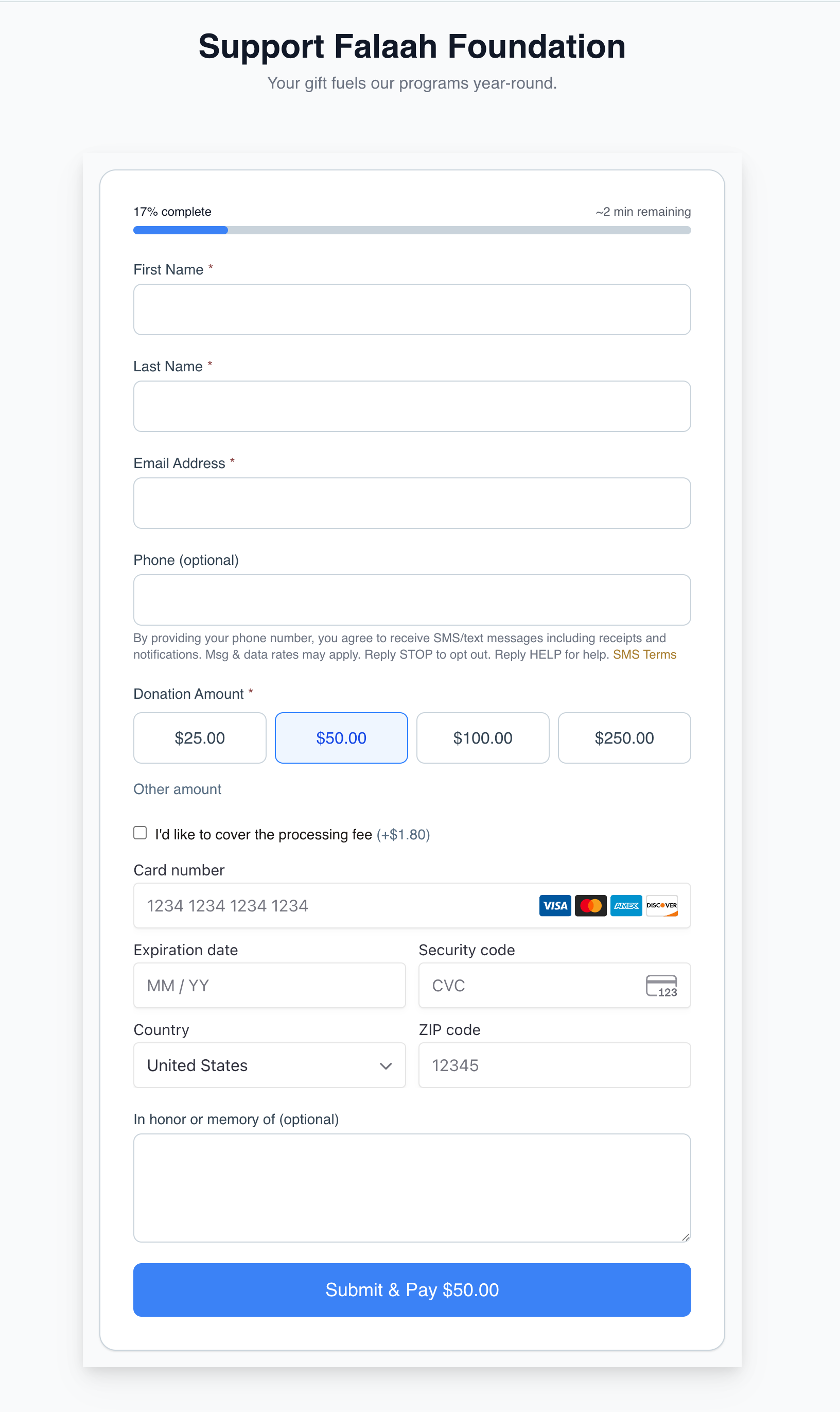
The giving flow works identically to the standalone hosted page. Suggested amounts, fund designations, recurring giving (monthly, quarterly, annually), anonymous giving, tribute giving, fee coverage, and Stripe-powered payment all function normally. After completing the gift, the confirmation screen appears within the iframe. The donor remains on your website throughout.
On mobile devices, the iframe scales responsively. The giving page’s built-in responsive design handles layout adjustments within the frame.
The Iframe Embed Code
Every Falaah giving page has a public URL that can be embedded directly:
<iframe
  src="https://muin.falaah.ai/go/{tenant-slug}/donate/{page-slug}"
  width="100%"
  height="800"
  frameborder="0"
  style="border: none; max-width: 600px; margin: 0 auto; display: block;"
  title="Donate to Your Organization"
  allow="payment"
></iframe>
Replace {tenant-slug} with your organization’s slug and {page-slug} with your giving page’s slug. The allow="payment" attribute enables the Payment Request API inside the frame, which is required for Apple Pay and Google Pay to function within iframes.
Adjust the height attribute to fit the form. A minimum of 700px is recommended. If the page has many fund designations or is linked to a form template, increase to 900px or more.
Platform-Specific Notes
WordPress: Use a Custom HTML block in the Gutenberg editor, or switch to Code Editor view and paste the iframe directly.
Squarespace: Use an Embed Block set to HTML mode. Paste the iframe code and adjust the block dimensions.
Wix: Use the Embed a Site element (Add > Embed > Embed a Site) and enter the giving page URL.
Custom sites: Paste the iframe into any HTML file. No JavaScript dependencies required.
Alternative: The Widget Embed
If your platform supports JavaScript, the widget embed offers more presentation options — a single script tag that auto-creates a Shadow DOM container:
<script
  src="https://muin-api.falaah.ai/embed/widget.js"
  data-tenant="your-org-slug"
  data-type="form"
></script>
Choose your presentation with data-type: button (inline button), popup (modal overlay), floating (FAB-style button), banner (top/bottom bar), form (inline form), or thermometer (campaign progress display). No target div needed. The widget renders inside a Shadow DOM container, so it will not conflict with your site’s CSS.
The iframe approach is best when you want zero JavaScript dependencies or when your CMS restricts script tags. The widget embed is best when you want flexible presentation options and Shadow DOM isolation.
Why On-Domain Matters
Donors are more comfortable completing payments on a page they recognize. When the giving page lives within your website — same header, same navigation, same domain in the browser bar — there is no moment of doubt about where their payment information is going. The iframe embed delivers that seamless experience with a single HTML tag.